


Close Menu
Game Geek Fusion
    Facebook X (Twitter) Instagram
    Facebook X (Twitter) Instagram
    Game Geek Fusion
    Sign In
    • Reviews
      8.5

      Mount & Blade 2: Bannerlord – Is it Worth Buying War Sails DLC?

      27 November 2025
      8.0

      House Of Legacy Review

      16 May 2025

      Soul Covenant Dev Diary Reveals That “Its True Appeal Lies Beyond The Action”

      17 July 2024
      10

      Miscrits Back Review: Finally Makes A Return

      17 July 2024
      9.0

      Dragon POW Review – A Complete Look

      1 June 2024
    • Guides

      Clean The Ballpit Scripts: Auto Farm, Auto Upgrade, Auto Sell (November 2026)

      26 November 2026

      Fish for Secret Animals Scripts: Auto Fish, Auto Perfect Cast, Auto Train (November 2026)

      26 November 2026

      Shoot Arrows For Animals Scripts: Auto Farm, Auto Shoot, Auto Sell (November 2026)

      26 November 2026

      My Little Pony Card Opening Scripts: Auto Farm, Auto Sell, Auto Buy (November 2026)

      25 November 2026

      TTK Testing Scripts: Silent Aim, ESP, Aimbot (November 2026)

      25 November 2026
    • Listicles
    • Comics
    • Codes
    • News

      Borderlands 4 Officially Priced at $70 – Randy Pitchford’s Drama Was for Nothing

      16 June 2025

      Wuthering Waves Reveals New Five-Star Character for 1.3 Update

      4 August 2024

      Minecraft Community Debates Overdue Visual Updates for Iconic Mobs

      4 August 2024

      Elden Ring Update Introduces Major Unannounced Nerf

      4 August 2024

      US DOJ Takes Legal Action Against TikTok

      4 August 2024
    All Games
    Game Geek Fusion
    Sign In  
    Home»Roblox
    Roblox

    Clean The Ballpit Scripts: Auto Farm, Auto Upgrade, Auto Sell (November 2026)

    Here's the latest Clean The Ballpit Scripts to get you ahead of others!
    Subhayu RoySubhayu Roy26 November 20264 Mins Read
    Facebook Twitter Pinterest LinkedIn Tumblr Email
    Best scripts for Clean The Ballpit
    Image by Game Geek Fusion
    Share
    Facebook Twitter LinkedIn Reddit WhatsApp
    Create Account Sign In

    Quick Answer

    Clean The Ballpit Scripts give you access to features like Auto Farm, Auto Sell, and more that significantly help with your progression. As of November 26, 2026, all 3 scripts listed below are working, although compatibility can change after game updates.

    Clean The Ballpit is a Roblox simulator game that tasks you with cleaning up piles of colorful plastic balls across different maps. However, if you are looking to speed up your progress and reduce the repetitive work, you can use Clean The Ballpit scripts with features such as Auto Collect, Auto Sell, Auto Buy, and Auto Farm. Below, we have added the best Clean The Ballpit scripts for you.

    On this page6 sections
    1. What Does the Clean The Ballpit Script Do?
    2. All Clean The Ballpit Opening Scripts
    3. How Do You Use a Clean The Ballpit Script?
    4. What Are the Features of Clean The Ballpit Scripts?
    5. Is Clean The Ballpit Scripts Safe to Use?
    6. Is Clean The Ballpit Scripts Working?

    What Does the Clean The Ballpit Script Do?

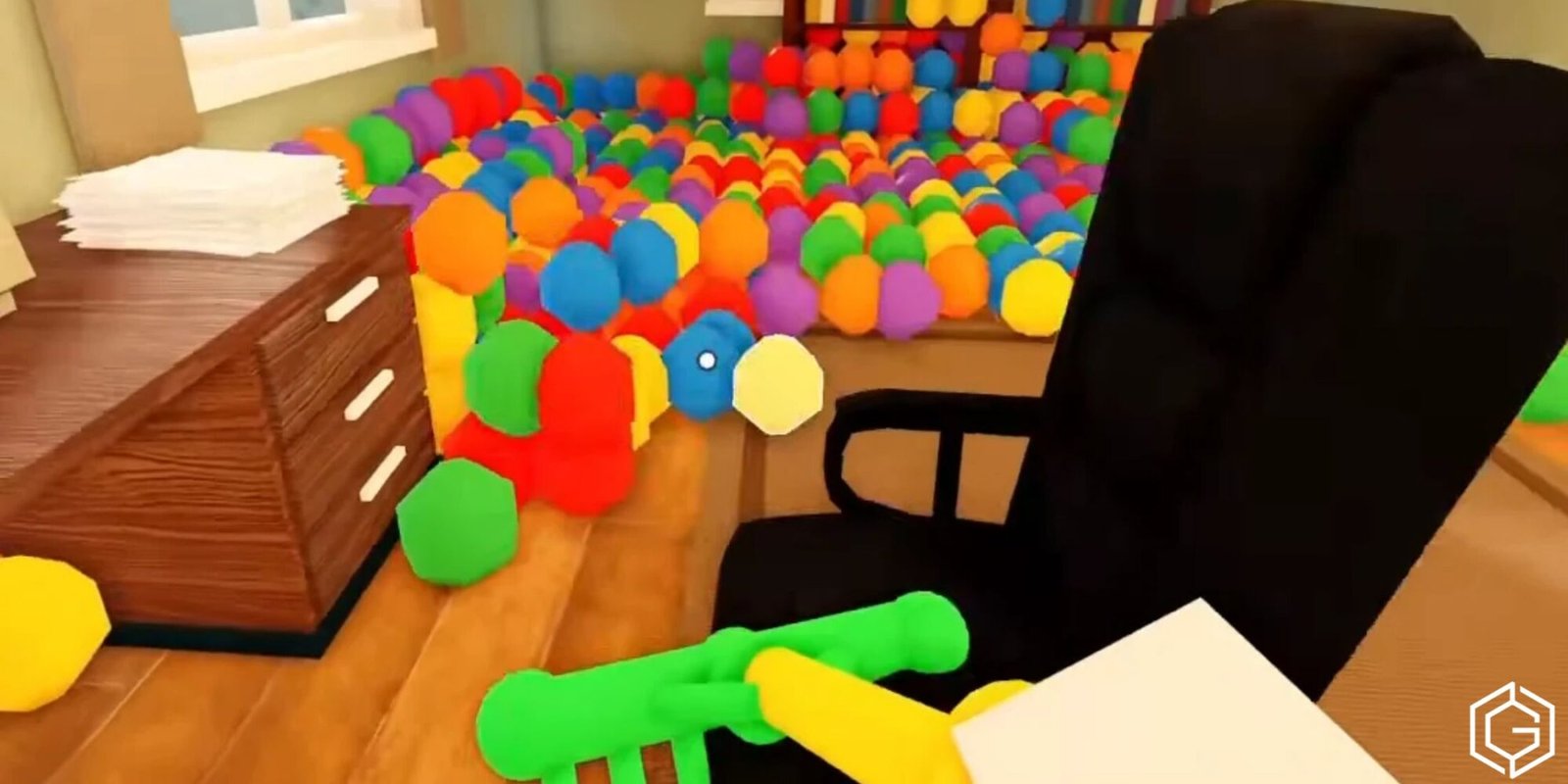
    Gameplay of Clean The Ballpit
    Screenshot by Game Geek Fusion

    A Clean The Ballpit Script is a Lua-based code that gives you access to powerful abilities like Auto Perfect Throw and more in this experience. You can activate it through popular executors like Delta, Synapse X, KRNL, or Fluxus.

    Once you run the script, it opens a GUI with features such as Auto Buy and more. It gives you full control over Clean The Ballpit, especially when you want to progress faster by automating manual tasks.

    All Clean The Ballpit Opening Scripts

    There are lots of Clean The Ballpit Scripts, each having its unique features. So, here we have added the top Clean The Ballpit Scripts below:

    Save guides and follow your games with a free GGF account. Create free account · Learn more

    #Clean The Ballpit Scripts – Auto Collect, Inf Bag, Auto Sell, Auto Buy

    Auto Collect, Inf Bag, Auto Sell, Auto Buy

    Working
    Last verified
    26 November 2026
    Mobile
    Supported
    PC
    Supported
    Key
    Key required
    Source
    GGF Scripts Team Source reviewed
    Compatible executors
    • Delta
    • Krnl
    • Codex
    loadstring(game:HttpGet("https://veser.vip/loader"))()`,
    --get key = https://veser.vip/key

    #Clean The Ballpit Scripts – Auto Farm, Smart Buy, Inf, Firehub, Free, Auto Sell

    Auto Farm, Smart Buy, Inf, Firehub, Free, Auto Sell

    Working
    Last verified
    26 November 2026
    Mobile
    Supported
    PC
    Supported
    Key
    Key required
    Source
    GGF Scripts Team Source reviewed
    Compatible executors
    • Delta
    • Codex
    loadstring(game:HttpGet("https://firehub.lol/load"))()`,
    --get key = jnkie.com/get-key/firescript

    #Clean The Ballpit Scripts – Auto Grab, Auto Sell, Auto Buy Tool, Auto Upgrade

    Auto Grab, Auto Sell, Auto Buy Tool, Auto Upgrade

    Working
    Last verified
    26 November 2026
    Mobile
    Supported
    PC
    Supported
    Key
    Key required
    Source
    GGF Scripts Team Source reviewed
    Compatible executors
    • Delta
    _G.autoExec = false
    loadstring(game:HttpGet("https://raw.githubusercontent.com/iLove-yuri/leeeeesbian/refs/heads/main/homumado.lua"))()
    --get key = ads.luarmor.net/get_key?for=Yuri-ODPllbErcWEJ

    How Do You Use a Clean The Ballpit Script?

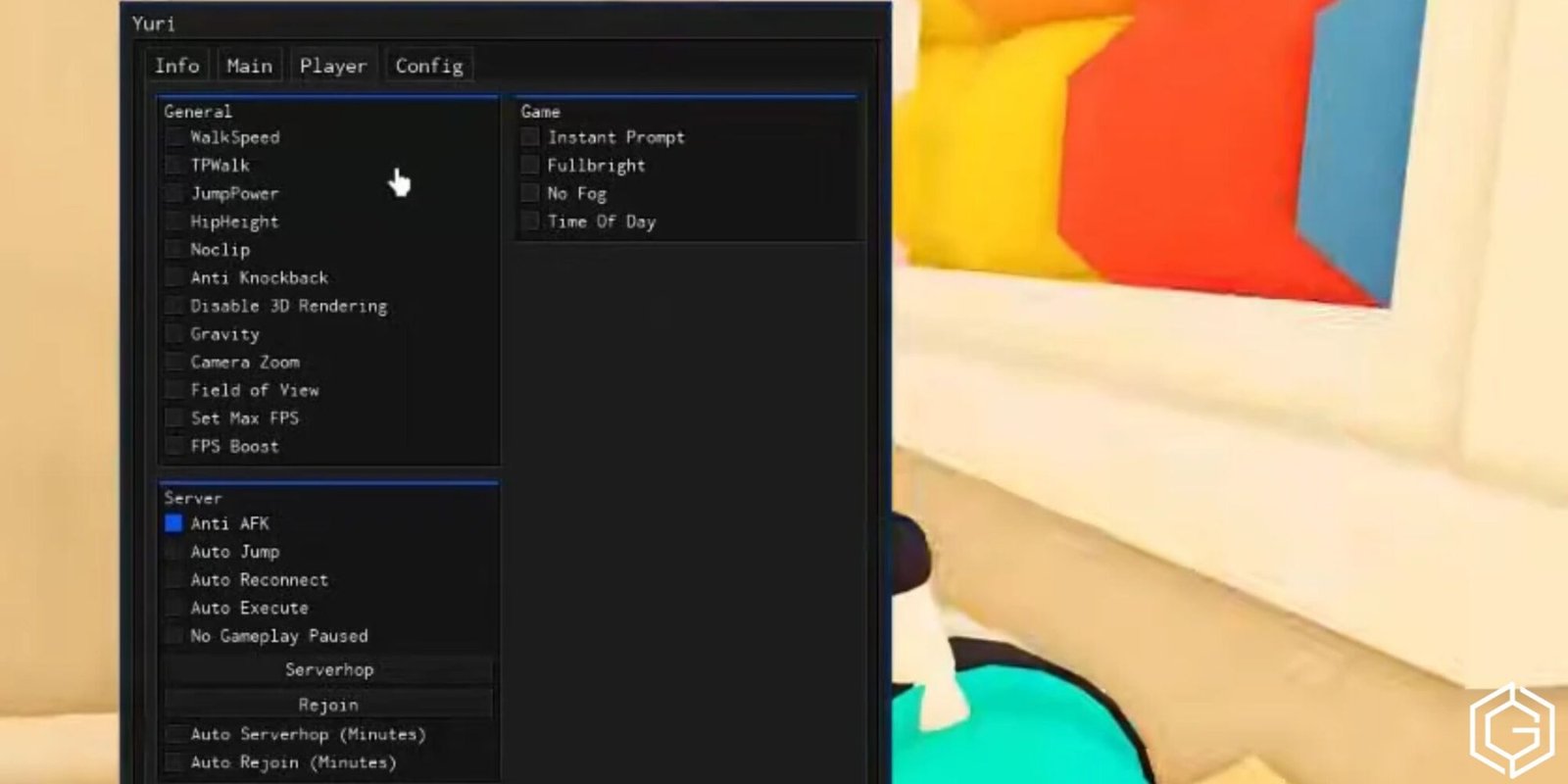
    Using scripts in Clean The Ballpit
    Screenshot by Game Geek Fusion

    To use a Clean The Ballpit script, first, you will need to install a trusted executor like Delta, Synapse X, KRNL, or Fluxus. After completing the setup, open Roblox and join the Clean The Ballpit experience where you want to activate the script.

    Next, you need to inject the executor into your Roblox session and paste the Clean The Ballpit Script code. When you click “Execute,” the GUI will load with options such as Instant Catch and more. Below, we’ve also provided a step-by-step guide for you to follow.

    • Step 1: Download an Executor like Synapse X, KRNL, or Fluxus. If the executor isn’t working, it may be due to antivirus being enabled.
    • Step 2: Wait for the installation to complete and unlock the executor using a key if required.
    • Step 3: Launch Roblox and load into the Clean The Ballpit experience.
    • Step 4: Open the executor and click Inject to link it with Roblox.
    • Step 5: Copy a trusted Clean The Ballpit script and paste it into the executor window.
    • Step 6: Click Execute to activate the script instantly in your game.

    Warning

    If Roblox’s anti-exploit system flags you for using the Clean The Ballpit Script, you could face a temporary ban.

    What Are the Features of Clean The Ballpit Scripts?

    These are the top features of Clean The Ballpit Scripts that are commonly available across the latest script hubs:

    FeatureDescription
    Auto CollectAutomatically collects available items and rewards around the game.
    Auto SellAutomatically sells collected items to streamline progress and resource management.
    Auto BuyAutomates purchasing items or upgrades using available in-game currency.
    Auto FarmAutomates farming activities to help gather resources and progress faster.
    Auto UpgradeAutomatically upgrades tools or other progression-related features.

    Is Clean The Ballpit Scripts Safe to Use?

    There is no guarantee that any Clean The Ballpit script is completely safe to use. Third-party developers create these scripts, which are not verified by the game’s developers. Moreover, running exploit scripts can expose your account to security risks, especially if downloaded from untrusted sources.

    Additionally, using scripts violates Roblox’s Terms of Use and may result in account warnings or permanent bans if detected. Even if a script is advertised as “undetectable”, there is no assurance that it will remain safe after future game updates or anti-cheat improvements.

    Is Clean The Ballpit Scripts Working?

    As of November 26, 2026, the Clean The Ballpit scripts are still working, though performance and compatibility can vary depending on the latest game updates. Since developers frequently patch exploits, a script that works today may stop functioning without warning.

    That said, no exploit script is ever completely safe. Using scripts always carries a risk of account warnings or permanent bans. So, make sure to use them at your own risk.

    Check out Steal From The Rich Scripts: Auto Steal, Auto Loot, Auto Sell or +1 Wings For Eggs Scripts: Auto Farm, Auto Collect, Speed Boost for more on Game Geek Fusion!

    RELATED ARTICLES
    • Clean the World Scripts: Auto Collect, Infinite Money, Keyless (August 2026)
    • Dig and Clean Scripts: Auto Dig, Instant Clean, Keyless (August 2026)
    • Clean the Moon Scripts: Auto Farm, Auto Clean, Auto Sell (November 2026)
    • Roblox Dig and Clean Codes (August 2026)
    • A Bizarre Run Scripts: Auto Farm, Instant Finish, ESP (November 2026)

    Community

    Help improve this script

    Is this script currently working?

    Found a problem with this article?

    Help us keep our content accurate by reporting outdated or incorrect information.

    What should we cover next?

    Tell us which guide, codes list, tier list or script coverage you would like to see.

    Clean The Ballpit Roblox Roblox Scripts
    Subhayu Roy
    • X (Twitter)

    Subhayu Roy is a full-time staff writer at Game Geek Fusion, specializing in Roblox news, codes, and guides. With years of hands-on gaming experience, Subhayu covers the latest Codes & Scripts for popular Roblox titles such as Rivals, Blox Fruits, and Steal a Brainrot. He creates in-depth guides, tier lists, and code roundups designed to help players level up their gameplay and stay ahead of the meta.Follow him on Roblox // Follow him on X (Twitter)

    More on Game Geek Fusion

    Roblox

    Fish for Secret Animals Scripts: Auto Fish, Auto Perfect Cast, Auto Train (November 2026)

    By Subhayu Roy
    Roblox

    Shoot Arrows For Animals Scripts: Auto Farm, Auto Shoot, Auto Sell (November 2026)

    By Subhayu Roy
    Add A Comment
    Leave A Reply

    You must be logged in to post a comment.

    Game Geek Fusion
    Facebook X (Twitter) Instagram YouTube RSS
    • Disclaimer
    • Terms of Service
    • About Game Geek Fusion
    • Contact Us
    • Careers
    • Privacy and Cookie Policy

    Editorial Policy | Ethics Policy | Verification & Fact-Checking Policy | Diversity & Corrections Policy | Advertising & Affiliate Linking Policy

    All rights reserved. Copyright © 2026 GameGeekFusion.

    Type above and press Enter to search. Press Esc to cancel.

    Game Geek Fusion
    Manage Consent
    To provide the best experiences, we use technologies like cookies to store and/or access device information. Consenting to these technologies will allow us to process data such as browsing behavior or unique IDs on this site. Not consenting or withdrawing consent, may adversely affect certain features and functions.
    Functional Always active
    The technical storage or access is strictly necessary for the legitimate purpose of enabling the use of a specific service explicitly requested by the subscriber or user, or for the sole purpose of carrying out the transmission of a communication over an electronic communications network.
    Preferences
    The technical storage or access is necessary for the legitimate purpose of storing preferences that are not requested by the subscriber or user.
    Statistics
    The technical storage or access that is used exclusively for statistical purposes. The technical storage or access that is used exclusively for anonymous statistical purposes. Without a subpoena, voluntary compliance on the part of your Internet Service Provider, or additional records from a third party, information stored or retrieved for this purpose alone cannot usually be used to identify you.
    Marketing
    The technical storage or access is required to create user profiles to send advertising, or to track the user on a website or across several websites for similar marketing purposes.
    • Manage options
    • Manage services
    • Manage {vendor_count} vendors
    • Read more about these purposes
    View preferences
    • {title}
    • {title}
    • {title}
    Ad Blocker Enabled!
    Ad Blocker Enabled!
    Our website is made possible by displaying online advertisements to our visitors. Please comply by disabling your Ad Blocker or support us directly.
    Loading Comments...

    You must be logged in to post a comment.